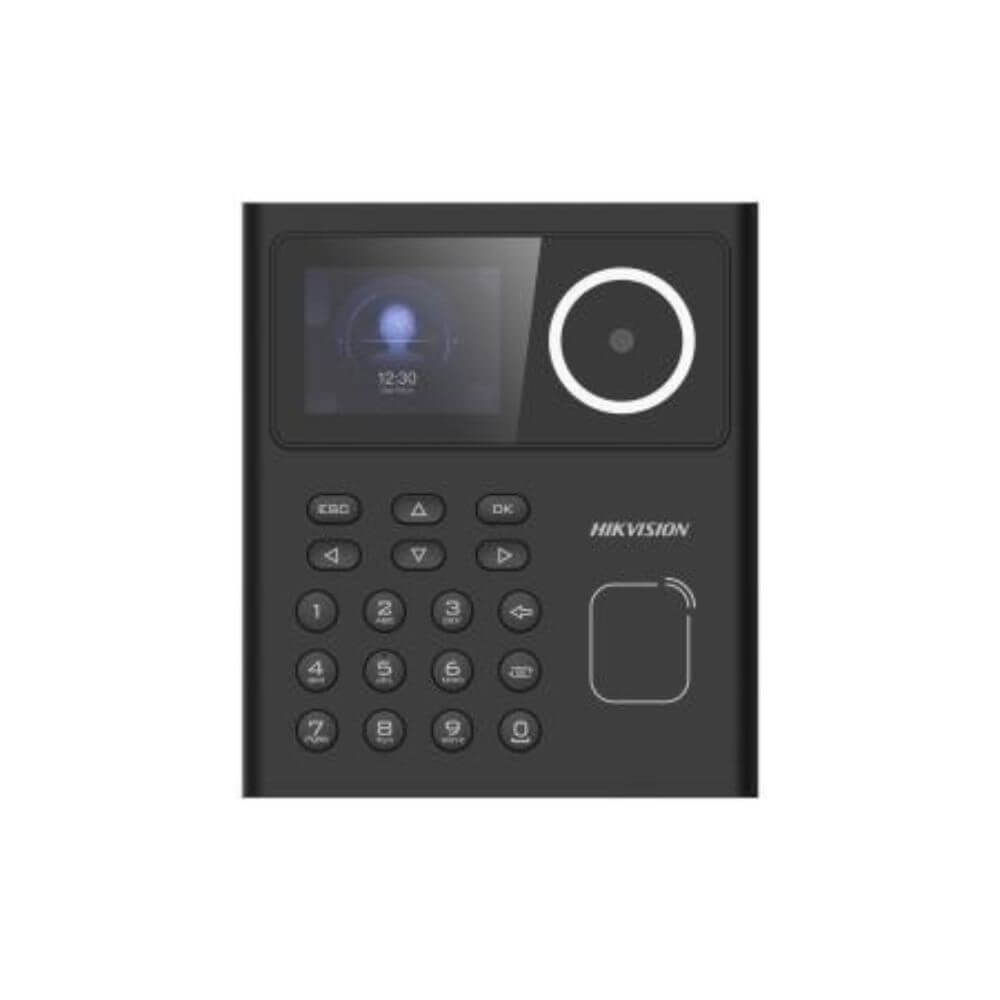
Everything You Need to Know Before Buying a Smart Lock
Smart locks are transforming home and business security by providing keyless access, remote control, and advanced security features. Whether you’re securing a home, office, apartment, shop, or commercial property, choosing the right smart lock can improve convenience and protection.
What Is a Smart Lock?
A smart lock is an electronic door lock that allows users to unlock and manage access through methods such as:
- Fingerprint recognition
- PIN codes
- RFID cards
- Mobile apps
- Bluetooth connectivity
- Wi-Fi remote access
- Traditional mechanical keys (backup)
Unlike conventional locks, smart locks offer greater control, security, and flexibility.
Benefits of Smart Locks
Enhanced Security
Smart locks eliminate many risks associated with lost or duplicated keys.
Keyless Convenience
No need to carry physical keys. Access your property using a fingerprint, PIN code, or smartphone.
Remote Access Control
Many smart locks allow you to lock or unlock doors remotely from anywhere.
Access Management
Grant temporary access to family members, employees, guests, or service providers.
Activity Monitoring
Track who entered and exited the property through access logs and notifications.
Types of Smart Locks
Fingerprint Smart Locks
Use biometric authentication for fast and secure access.
Best For: Homes, offices, and apartments.
PIN Code Smart Locks
Allow access using customizable passcodes.
Best For: Rental properties and small businesses.
RFID Card Smart Locks
Unlock using access cards or key fobs.
Best For: Offices, hotels, and commercial buildings.
Wi-Fi Smart Locks
Provide remote access and management through mobile applications.
Best For: Smart homes and business owners who travel frequently.
Bluetooth Smart Locks
Connect directly to your smartphone for nearby access.
Best For: Residential use.
Key Features to Consider
Before purchasing a smart lock, look for these important features:
✔ Fingerprint Recognition
✔ Mobile App Control
✔ PIN Code Access
✔ RFID Card Support
✔ Remote Unlocking
✔ Auto Lock Function
✔ Intrusion Alerts
✔ Access Logs and Records
✔ Backup Mechanical Key
✔ Emergency Power Supply Port
Choosing the Right Smart Lock
For Homes
- Fingerprint access
- Mobile app control
- Auto-lock functionality
- Visitor access management
For Offices
- Multi-user access management
- Attendance tracking integration
- Access logs
- RFID and fingerprint support
For Apartments
- Temporary guest access
- Remote unlocking
- Easy installation
For Shops and Retail Stores
- Employee access control
- Security notifications
- Audit trail and access records
Smart Lock Installation Tips
- Verify door compatibility before purchase.
- Choose a professional installer.
- Set strong administrator passwords.
- Register multiple access methods.
- Test emergency unlocking options.
- Keep firmware updated.
Common Mistakes to Avoid
❌ Buying a lock without checking door thickness.
❌ Using weak PIN codes.
❌ Ignoring backup access options.
❌ Not updating software and firmware.
❌ Sharing administrator access unnecessarily.
Why Smart Locks Are Worth the Investment
Smart locks provide a powerful combination of security, convenience, and control. They reduce the risks associated with traditional keys while giving property owners complete control over who can access their premises.
Whether you want to secure your home, office, shop, or commercial property, a smart lock is an excellent investment in modern security.
Upgrade Your Security with Live Tech BD
Live Tech BD provides professional smart lock sales, installation, maintenance, and support services throughout Barishal Division. We offer fingerprint locks, RFID access systems, digital door locks, and complete smart security solutions for homes and businesses.
📞 Call: 01751 980473
🔒 Live Tech BD – Smart Security for Modern Living
🏠 Secure Your Home | 🏢 Protect Your Business | 📱 Control Access Anywhere.
Related products
-
CC Camera Supplier in Barishal
Read more Compare -

Exclusive CCtv camera Package at lowest Price in Barishal
Read more Compare -
Sale!

Hikvision DS-2CD1T23G0-I 2MP IR Bullet IP Camera price in Barishal
৳ 3,000.00Original price was: ৳ 3,000.00.৳ 2,850.00Current price is: ৳ 2,850.00. Add to cart Compare -
Sale!

EZVIZ CS-H6c Pro 3MP Pan & Tilt Smart WiFi Camera
৳ 2,450.00Original price was: ৳ 2,450.00.৳ 2,190.00Current price is: ৳ 2,190.00. Add to cart Compare